Showing posts with label Viruses. Show all posts

Monday, October 20, 2008

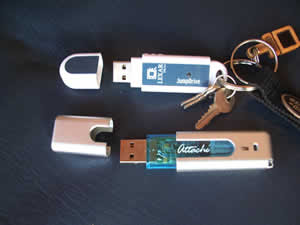
Prevent PenDrive Virus

Nowadays Most Common medium for Virus are PenDrive . Following steps help to prevent PenDrive Virus .


1) Disable autorun/autoplay function of your pen drive.

2) Now plugin your pen drive and open any folder of your computer.
(Do not open any folder from ur pen drive.)

3) Now goto tools then select Folder Option .
In that box mark the Show Hidden Files & Folders option.
Also Uncheck Hide Extension for known file types & Hide Protected OS files.

Now click apply and ok buttons and close that folder.

4) Nome come to Desktop.
On the Desktop, click on windows Start button and select Search for files & folders.

When the search dialog box appears on the screen, in that click on All Files & Folders, now click on More Advanced Options then select search Hidden files & folders.

Now go above & in Look In option, select your pendrive letter .
(For example E: Or G:) and hit Enter.

5) Now if you see any unknown .Exefiles, simply delete them all.

I hope this Tip give you some relax.
read more...

Monday, October 6, 2008

Trojan Horses::The Virus!!

Trojan Horse in History


The term comes from the a Greek story of the Trojan War, in which the Greeks give a giant wooden horse to their foes, the Trojans, ostensibly as a peace offering. But after the Trojans drag the horse inside their city walls, Greek soldiers sneak out of the horse's hollow belly and open the city gates, allowing their compatriots to pour in and capture Troy..

Trojan Horses


Back to the "modern" Trojan Horses. They're pretty much the same: invisible to the naked eye; appear within harmless programs; require some form of user/operating system intervention to activate; and they do something unexpected by surprise. This article is just to convey a basic principle about the design of Trojan horse programs.

Trojans are designed to access permissions and exploit resources. The goal of password snatchers is to securely leak the login/password pairs to the Trojan author, and the goal in kleptographic attacks is to securely leak private keys to the attacker.

Nature of Trojan Horses

There is no "real" definition of a Trojan horse. It all depends on the perspective of the user that runs into it. From the perspective of a hacker (generally black-hat hackers), a reboot monitoring Trojan (useful in making sure no one used your machine) is not a Trojan to him/her since the hacker knows what it's about. From a law enforcement agent or people like that, it is a Trojan since the agent doesn't know it's there.

There are two examples of Trojans. One is a Trojan that is nothing more than a bug. Don't think that's a good thing. This bug could be bad enough that when planted properly, a Trojan author can break into the computer system. The second Trojan is a mathematical one. The statistical distribution of the output of a random number generator is affected so that it makes the generator very sensitive to the input entropy (I will not go into detail in this, please Google if you do not understand this [:)].

Trojan Horses in a text editor

An example of a text editor being used as a target for a Trojan horse:

If there was an installed text editor on a multiuser operating system which cannot be deleted or modified by the users themselves, then this program has certain unique privileges. For instance, It can access all the text files that users create or open. This would be the perfect target for a Trojan horse. When the Trojan is installed on this program, it will store data from users and makes the data accessible for the Trojan horse author.

Salami Slicing

There was once an article describing a Trojan horse attack that was intended to achieve money. This was carried out by an employee of a bank. He managed to get 70 000$ by taking a few cents from every account, and transferred it into his own account. It got the name of salami slicing because small amounts of money were taken from a lot of accounts. It's pretty useful to prevent anyone from noticing any drastic changes. The bank Trojan had access to money therefore the Trojan steals the money. Therefore, a text editor has access to documents so the Trojan steals the documents (pretty simple isn't it?).

Password Snatching

Every hacker would love to steal login/password pairs (referring to black-hat hackers). Password-snatching programs are installed when a system is infiltrated. These programs are also called rootkits. They were probably written in DOS terminate and stay resident programs (TSR). They record all keystrokes entered via the keyboard and patch the operating system hardware interrupt for key presses and log them to a file.

It is best if a password-snatching Trojan is hosted in a program that could access the passwords of users, like the UNIX "passwd" program. It verifies the identity of UNIX users by checking the login/password pairs. One could copy the Trojan to the end of the passwd program, or one could modify the source code for the password program, recompile it, and then install the compromised version (only if the root access is possible).

However, if the source code for the passwd program is updated and the administrator compiles a new version of it, then the attack would fail. So it would make sense to install a Trojan horse into the compiler which will increase the percentage of success of the attack. But if the compiler is recompiled, then the code that secretly inserts the Trojan into the passwd program would be gone.
______________________________________________________________________

There's not much left for me to explain. But one more thing for you to see :

Ken Thompson described an involved Trojan horse attack.

CODE :
compiler(char*s)
{
...
}


This is a figure of a normal compiler (ANSI C notation) (I did not create this)

The parameter s is a pointer to a string that contains the source code. The idea is to insert a source level Trojan horse into the source code of the compiler that checks for two patterns in the string s.

The first pattern is source code corresponding to the password verification program. When it is found, the password-snatching source code is added to the program before it is compiled. But the Trojan is not saved to the source file of the password program.

The second pattern is source code corresponding to the compiler. When it is found, the entire compiler Trojan is included in the compiler source code. It will contain all of the source code for the Trojan which is marked by the "if" statements in this following figure.

CODE :
compile(char*s)
{
if (match)s,pattern1) ==true)
{
compile(trojan1);
return;
}
if (match)s,pattern2) ==true)
{
compile(trojan2);
return;
}
...
}


Figure of a compiler with Trojan (ANSI C notation)(I did not create this either)

Whenever the compiler is compiled, the Trojan copies itself into the source file for the compiler. It can be added to the source for the compiler then the compiler could be recompiled, and the old compiler could be replaced. This would remove all traces of the source code for the Trojan attack. It would remain in binary form, integrated with the compiled instructions.

So Thompson's Trojan horse attack exploits the capabilities of its host. For example, it exploits the fact that compilers are used to create programs such as the passwd program and the compiler itself.
Also, it exploits the fact that the passwd program has access to login/password pairs and that the compiler has access to them as well by transitivity.

Yeah... I believe that this is okay to be an overview of Trojan horses.
read more...

Friday, May 23, 2008

How to beat spyware and viruses?

Here's my perennial "How to Beat Spyware".
Here's what to do if you suspect an infection on your Windows PC. (Please note these steps apply to both Windows XP and Vista.)

1) Are you sure it's spyware or a virus?


Windows pop-ups and alerts can often seem invasive enough to be viruses, especially with Vista. Try searching the web for the exact text you see on the screen to make sure you aren't dealing with an aggressive Windows message. (Many of these can be turned off, so try whatever instructions you find.) On the other hand, some viruses masquerade as Windows alerts, so tread lightly.
2) Boot in safe mode. If you have a virus, first step is to try booting in safe mode. You can get to safe mode (a simplified version of Windows that disables a lot of extra junk, possibly including some spyware apps) by restarting your PC and tapping F8 during boot. Soon you'll get a menu of options. Select "Safe Mode" (it's at the top of the menu) and wait for the machine to fully boot. The system will look funny (with a black background and larger icons, probably), but don't worry about it. This is only temporary. (Also note that many spyware applications can disable safe mode, so if you find this doesn't work, just boot normally.)
3) Run your antivirus application. This is of course assuming you have an antivirus application. You're in safe mode now, so run a full scan of your PC at maximum security levels (include the option to scan within compressed files, for example). This will probably take an hour or more, so be patient. Fix any problems the virus scan turns up. Then reboot into safe mode again using the procedure in step 2.
4) Run one or two anti-spyware applications. I used to recommend running multiple anti-spyware apps, but virtually all antivirus apps now do a pretty good job at getting rid of spyware too, so you don't need an army of additional applications just for spyware. Also, I now recommend starting with AdAware (which is free) and moving on to Spyware Doctor (free as part of the Google Pack) if you feel you need additional help. (Please note that recent versions of Spyware Doctor and Norton Antivirus have some trouble with each other.) You can try other apps too, but the once-recommended SpyBot Search & Destroy is no longer very effective, sadly. (Neither is Microsoft's own Windows Defender.) Of course, fix anything and everything these apps find.
5) Reboot normally. (Not in safe mode.) Now take stock. Still got spyware? It's time to move along to my more advanced techniques for removing the nasties.
6) Run HijackThis. HijackThis is a free software tool that scans your computer to find malware that other apps might miss. Scroll down to "Official downloads" to download the tool. Next, simply open the ZIP file you downloaded, extract the application, and run the tool (you don't need to install it). Click the "Do a system scan and save a logfile" button. You'll receive a large text file as well as a dialog box which gives you a list of active software processes, which you can then choose to delete. Unfortunately, this list includes both helpful and unhelpful software, so don't just start deleting items. Continue in step 7 to figure out how to fix your spyware infection.
7) Post your log file online. Visit this page, which offers a list of forums staffed by volunteers who can help you interpret your HijackThis log. The SWI Forums are especially busy, but most of the forums on the list are equally apt. Go to SWI and visit the "Malware Removal" forum which has over 50,000 topics listed: Those are all people like you who are seeking help getting rid of spyware. Register for an account, read the FAQ, then visit that Malware Removal forum, and post a new topic. Paste the content of the text file you created in step 5 into this topic and (politely) ask for help. You will get a response from a volunteer helper, typically within 3 days. You'll be given specific advice on what entries to remove with the HijackThis tool, and you might be pointed to additional software to run to help remove common spyware infections. Follow all the instructions and keep working with the forum helpers until either you or they give up. (And no, don't send your log file to me or post it here. I am not nearly the spyware removal expert that these guys are.)
7a) Alternately: Paste your log file into an automated tool. Don't have three days? Try simply pasting your HijackThis log file into this form. It does a pretty good job at auto-analyzing what's wrong with your machine, with no waiting. As well, if that doesn't work, you can search for the items you find in the HijackThis log by name to see what they are and how to remove them, if they're spyware. This can be quite time consuming, though.
8) Try System Restore. If that doesn't work, you might try running Windows System Restore to roll back your OS to a time before the infection happened. This isn't foolproof: You might not have System Restore turned on, or the spyware might have shut System Restore off, as well. But it's worth a shot. With either XP or Vista, System Restore can be found under Start > All Programs > Accessories > System Tools > System Restore.
9) Give up and wipe your hard drive. At this point, you've exhausted all the options I know of. You might try again at steps 6/7 to make sure you've done everything you can to salvage the PC. Forum helpers will often work with you for weeks to help fight a spyware infection, but there are tens of thousands of possible variants out there, with new ones cropping up every day. It's just not possible to clean them all, every time. Sometimes the only thing you can do is call it quits, reformat your hard drive, and reinstall your OS. Again, make sure you have your backups ready and verified. Once you're up and running, reinstall your antivirus and anti-spyware applications, and stay vigilant against infection. Good luck.
read more...

Thursday, May 22, 2008

The worst computer viruses of all time


If you haven't experienced a computer virus yet, just wait -- you probably will.
Fortunately, you missed the real heyday of computer viruses when anti-virus software wasn't very widely used, and virus attacks caused millions of dollars in damages overnight. Today's viruses can still be nightmarish, but for the average user, cleanup is considerably easier than it was just a few years ago, when the only solution in many cases was reformatting your hard drive and starting from scratch (and even that didn't do the trick sometimes).
So join me on a trip down memory lane as we revisit some of the worst viruses of all time and count our blessings that our computers are still up and running despite it all. (Though, please note, "worst" is a matter of considerable debate in the security industry, as the number of infected machines and amount of financial loss is always estimated. If you think another virus was worse than these, please post it in the comments to remind me!)
The worst viruses of all time
Brain, 1986
It all started here: Brain was the first "real" virus ever discovered, back in 1986. Brain didn't really hurt your PC, but it launched the malware industry with a bang and gave bad ideas to over 100,000 virus creators for the next 2 decades.
Michelangelo, 1991
The worst MS-DOS virus ever, Michelangelo attacked the boot sector of your hard drive and any floppy drive inserted into the computer, which caused the virus to spread rapidly. After spreading quietly for months, the virus "activated" on March 6, and promptly started destroying data on tens of thousands of computers.
Melissa, 1999
Technically a worm, Melissa (named after a stripper) collapsed entire email systems by causing computers to send mountains of messages to each other. The author of the virus was eventually caught and sentenced to 20 months in prison.
ILOVEYOU, 2000
This was notable for being one of the first viruses to trick users into opening a file, which in this case claimed to be a love letter sent to the recipient. In reality, the file was a VBS script that sent mountains of junk mail and deleted thousands of files. The results were terribly devastating- one estimate holds that 10 percent of all computers were affected, to a cost of $5.5 billion. It remains perhaps the worst worm of all time.
Code Red, 2001
An early "blended threat" attack, Code Red targeted Web servers instead of user machines, defacing websites and later launching denial-of-service attacks on a host of IP addresses, including those of the White House.
Nimda, 2001
Built on Code Red's attack system of finding multiple avenues into machines (email, websites, network connections, and others), Nimda infected both Web servers and user machines. It found paths into computers so effectively that, 22 minutes after it was released, it became the Internet's most widespread virus at the time.
Klez, 2001
An email virus, Klez pioneered spoofing the "From" field in email messages it sent, making it impossible to tell if Bill Gates did or did not really send you that information about getting free money.
Slammer, 2003
Another fast spreader, this worm infected about 75,000 systems in just 10 minutes, slowing the Internet to a crawl (much like Code Red) and shutting down thousands of websites.
MyDoom, 2004
Notable as the fastest-spreading email virus of all time, MyDoom infected computers so they would, in turn, send even more junk mail. In a strange twist, MyDoom was also used to attack the website of SCO Group, a very unpopular company that was suing other companies over its code being used in Linux distributions.
Storm, 2007
The worst recent virus, Storm spread via email spam with a fake attachment and ultimately infected up to 10 million computers, causing them to join its zombie botnet.
read more...